When Web authors and designers create Web pages, they often specify particular type (font) faces, colors, sizes, and background colors. These settings are specified for each item, or in a "style sheet," which is a type of template for specifying how different styles should appear throughout a Web page or site.
You can override any or all of these settings, which is useful if you have limited or low vision. You can specify your font and color preferences for all pages that do not use style sheets, and then you can specify whether to use any or all of your preferences on pages that use style sheets.
For more information, follow these steps . . .
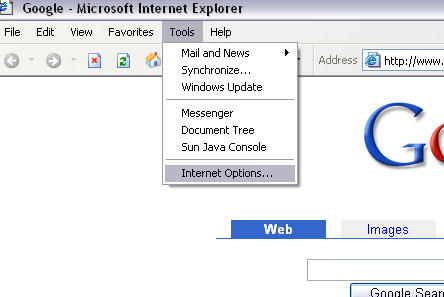
1. Click 'Internet Options' on the 'TOOLS' Menu.